
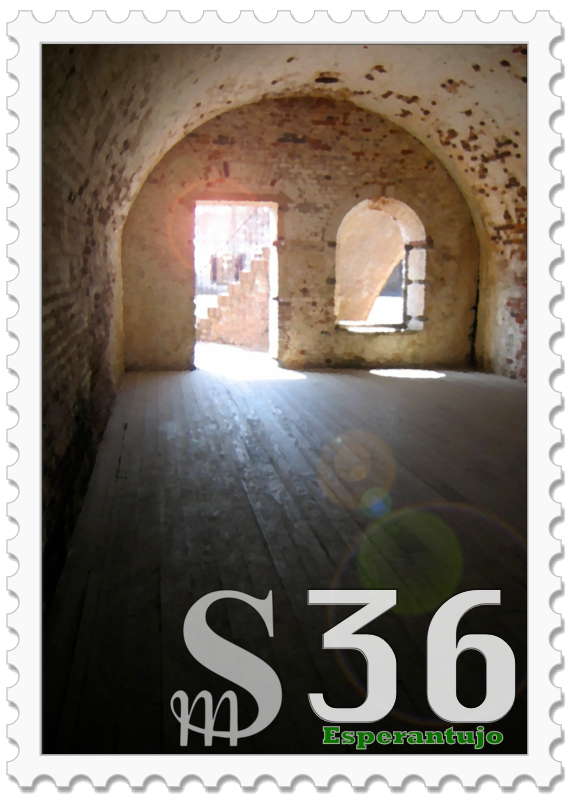
the interior of a casement room in brick fort in north carolina

For months, I’ve been needing to shut down my old blog and archive my old posts. And I finally found a solution: blog.sh!

Although the term “blog” was coined in 1997, I didn’t write my first post until 2002. I started blogging defensively. What happened was that I would start drafting an email to one person, then think “Oh, this other person would be interested too” and add them, but then realize that some of what I was writing wasn’t really appropriate for them, so then I would make two emails and have to copy and paste and edit. Finally, I realized I could just put all of the “public” info — the things I didn’t care if anyone read — into a blog post and only send specific emails to particular people.

I had been exploring wikis at the time, using PHPWiki and saw that there was a mechanism to do daily posts using a calendar interface. I used that for a couple of years but then decided to switch to using Drupal for blogging. My blog resided at blog.bierfaristo.com and my first post was on Dec 14, 2005. By this time I was also getting interest from other organizations who wanted to set up websites that were effectively blogs: the Amherst Democratic Town Committee and Esperanto League for North America (now Esperanto-USA) so I set up Drupal websites for them as well.

I was tangentially involved when the University of Massachusetts Amherst decided to standardize on Drupal as their content management system. I had been using it for a few years at that point. They brought in a focus group and had two presentations: one was by a Drupal consultant and the other was for a commercial product that was a static-site generator. I could see the attraction of using the static-site generator. But I knew that the campus would need to accept content via the web and, their only solution for that was to hand-write one-off PHP scripts. That sounded like a disaster from a security standpoint.

One of the short-comings of Drupal was that it was difficult to update: point updates were pretty easy, but each major update required migrating the content and completely retheming the site. And when Drupal 8 came out they basically threw out all of the expertise anyone had developed by completely redesigning the entire system and made managing the dependencies so complex you needed a separate tool (composer). So, I gave up on Drupal and never updated from Drupal 7.

A lot of other people did as well. Some folks created a fork called backdrop that rejected the changes that Drupal 8 had made. I had initially considered switching to that as well, but they had decided not to support the antiquated “blog” system and it required migrating the content into a different content type. So I didn’t bother making the switch.

During this period of time I had also started using Twitter and eventually also set up a separate Twitter feed for my author work. I quit using it and finally deleted my accounts when Twitter started being run by a Nazi. I grabbed archives of my feeds before I did so. But I wasn’t quite sure what to do with them.

When I set up my author blog (where you’re reading this post), I decided to use WordPress. Mainly, as I’ve written elsewhere, this was because I could get my hosting service to manage the install and keep it up-to-date. It works OK, although I’ve been worried about security as AI is being used to find vulnerabilities. But I try to use relatively few modules and make sure they stay updated. So far, I haven’t had any problems. Early on, the security in WordPress was execrable, which was in part why I went with Drupal as a CMS. It seems better now.

In the interim, my old blog site still languished on Drupal 7. I hadn’t used it in several years. Even though Drupal 7 had been end-of-lifed a couple of times, people still kept patching it to keep it working. But finally, they said they really, really, really were going to stop. And, in April, I started getting a daily email whining that it really was EoL and needed to be taken down. So I was interested when I saw the announcement about blog.sh that was optimized for building an archive site.

I was particularly interested in a static site generator for an archive because I wanted something that wouldn’t require maintenance. It wasn’t something I would necessarily watch all the time and so I didn’t want to have to think about managing security. I wanted something that could just sit there.

I used it to set up the blog for Elegant Lich and that worked pretty well. So I decided to create an archive site: archive.bierfaristo.com and begin migrating content into it. I migrated the blog posts first. And I was able to import my twitter feeds.

I still have a few outstanding challenges. I tried to migrate my blog from Esperanto-USA, but that blog has been gone a long time: I tried to grab some posts from the wayback machine but have only been partially successful. I was an early user of Flickr and I still have a lot of images there. Phil and I used an early version of lychee to build image galleries. When they switched to a new new system, the upgrade looked complicated, so I never updated that either and it’s kind of orphaned. I don’t see these as high priorities. But things I can work on if I feel like it.

I have lost some things. I think I failed to grab a backup from the brief time I was at mastodon.lol. I don’t think I’ll bother to grab my history from Facebook. I very rarely wrote anything specifically for Facebook. Early on, you could gateway your posts from Twitter to Facebook, but they killed that after a while. I mostly wrote for my blog and then shared links there. They never got much traction because, of course, Facebook’s whole business model is to hide things you post from your friends unless you pay them.

I’m not expecting anyone to be that interested in my old posts anyway. But I can often remember an old post where I mentioned something or linked to something, and I’ll be interested to look things up, link to things, or share them again when they’re relevant.

The author of blog.sh seemed a little surprised at how quickly I found his system and started using it. I think I saw his original announcement at Mastodon: someone must have boosted it into my feed. I’ve identified a handful of minor problems that he’s promptly fixed. And I made one feature request that’s in the works too. (I offered to try to try to write the feature myself, which he politely declined. I really didn’t want to learn how to write in Ruby anyway, but I felt compelled to offer.)

And when this blog has run it’s course, I should be able to easily pull it into my archive site as well. It’s a nice feeling to have this long standing problem resolved.
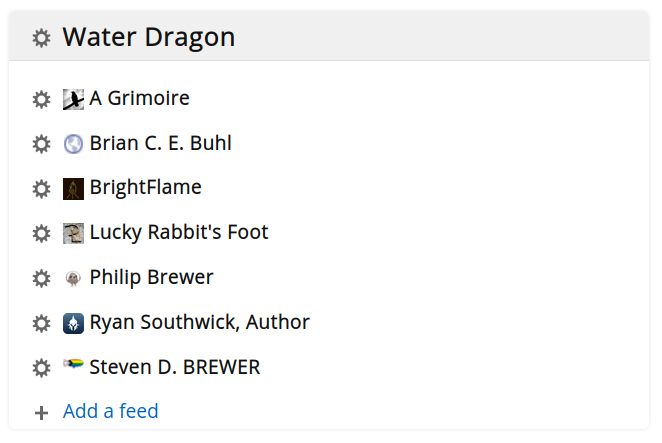
I spent a snowy afternoon setting up FreshRSS at my hosting service. It was a snap. It really only took me about a half hour once I got started and made me wonder what I’d been waiting for. I’ve only just started exploring it’s capabilities, but it seems great so far.

One of my fellow authors at Water Dragon Publishing shared a bit of news at the Discord and indicated she would be providing further updates to her blog, if people wanted to follow her journey. I had been meaning to set up a new RSS feed reader for a couple of years and so this was just the prompt I needed to kick me into gear.

I was an avid user of Google Reader and then, for many years after, ran an instance of TinyTinyRSS (TTRSS) as a feed reader on my home server. At some point, however, TTRSS began to require Docker. When I tried to set it up, it didn’t work right — probably because I got something wrong in the Docker configuration — and I said, “#@&% this!” I wasn’t going to teach myself Docker just so I could play at being sysadmin.

I tried a few other app-based feed readers, but I really wanted something server based. Otherwise, you really can only check your feeds from a single device and I switch among three devices pretty much constantly. I had identified FreshRSS pretty early on as a good candidate, but I wasn’t sure it would play nicely with my hosting service. I had tried to install TTRSS there and that hadn’t worked (which is why I had been running it on my home server).

In the end, I just did it. I downloaded the source, checked the documentation, and got started. I re-used the domain name “feeds.bierfaristo.com” that I had created a few years ago and added hosting. I scp’ed the tar file, untar’ed it, and the pointed my browser at the URL. Bam! I was in business.

I had saved an OPML file of my old feeds, which I went ahead and imported. It was a trip down memory lane. A lot of the feeds were dead, but a surprising number are still good. I’m looking forward to being more intentional about keeping up with feeds again.

Authors should take backups seriously. And not just depend on free corporate solutions. I’ve read about people who trusted “the cloud” to keep their data safe only to have some faceless corporation invalidate their account and cause them lose everything overnight with no recourse.

Just like how, if you see “the economy” in a news article you should mentally replace it with “rich people’s yacht money”, when you see “the cloud” in a sentence, you should replace it with “someone else’s computer.” You shouldn’t trust someone else’s computer with your backups.

I’ve never been particularly strategic about backups. At least not since I was a doctoral student. While I was working on my dissertation, I became paranoid about losing my doctoral work. To reduce my anxiety, I got two Syquest EZ-135 drives and three cartridges that I rotated between my home and office, so I was well protected against data loss.

Since I’ve started working exclusively from home, I’ve been using syncthing to mirror my working files among all my devices and using a backup drive to make periodic backups. But I’ve become a bit concerned about not having an off-site backup.

For several years, I’d considered building a Network Attached Storage (NAS) device but I hadn’t found a straightforward recipe that didn’t look like a lot of work. I like maker projects, but I decided in the end that I wanted a solution more robust than something I hacked together from a recipe.

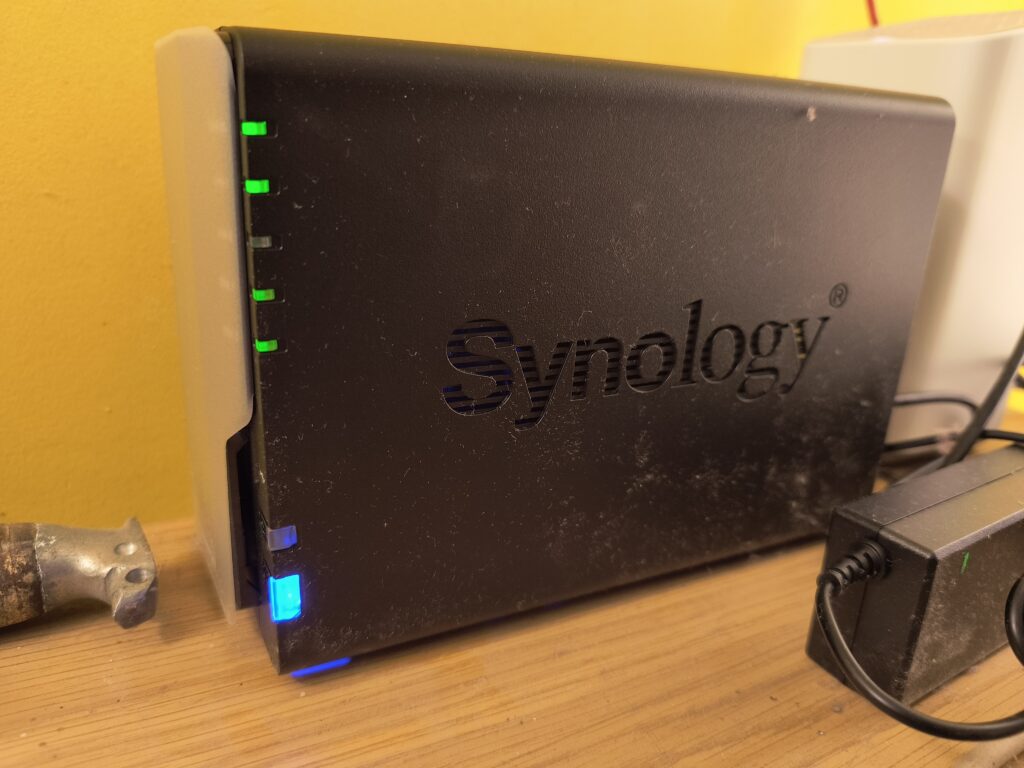
After discussion and some research, Philip and I decided to purchase identical Synology DS224+ devices and configure them to offer reciprocal off-site backups for each other. They have two spinning 12TB hard-drives in RAID1, so each can have one drive fail without data loss. That gives each of us about 5TB of backup, which I think will be ample for our needs for the foreseeable future.

So far, I’ve been quite pleased with the device. It only took a few minutes to figure out how to set up all of our computers to use rsync via public-key ssh connections and I’ve set up crontab entries to run daily backups. I can easily set it up to do backups more frequently if that seems warranted. Currently it’s just syncing, but I think I could get fancy and have it do periodic snapshots to protect against accidentally deleted files.

It does have high-level tools that are more accessible for less technical people. But I was pleased to be able to use the familiar low-level tools at the command line. Hopefully, once everything is set up, it will just sit there chattering quietly and give me peace of mind that a drive failure won’t be a catastrophe.

At one time, an author might be able to focus on writing and let their publisher handle publicity. Now, an author is functionally expected to build and maintain a personal brand to attract readers independently of the publisher. This requires some avenue of providing information about your work and yourself that you can use to reach readers. Setting up an author website is the way to go.

There are a number of options to provide a channel of information. Some are “free”. You can use a social media platform (like Facebook or Twitter or LinkedIn). Some are commercial platforms that you can use to restrict some or all of your content to paying customers (like Substack or Patreon). I however am primarily here to talk about another way: building an independent channel of information that you own, control, and can easily take with you.

The real problem with both the “free” and platform solutions is that letting a corporation stand between you and the public is that, ultimately, the service risks becoming (or has already been) enshittified. By positioning themselves between you and your public, their incentives are diametrically opposed to yours. Facebook makes its money by hiding your posts from your “friends” — unless you pay them. (The Oatmeal concisely illustrated this in his comic Reaching People on the Internet).

Today I’m going to describe my approach which has three basic components: purchase your own domain name, contract with a hosting service, and use a content management system. This ensures that you can reliably create your own information channel that is reliable, portable, and under your own control. I am going to describe how I used Dreamhost to register a domain name and provide a hosting service that I configured to use the WordPress content management system (maintained by the hosting service).

Before actually setting anything up, it’s worth considering what information you intend to share and how it should be organized and managed. It’s worth looking at a number of other authors’ sites to see what information they provide and how they organize it. As an author, I want to share information about myself with a publicity photo, a biography, my current books, and contact information. Then I want to provide a feed of news about my writing activities: my upcoming events, new books, thoughts on writing, etc.

I use the Dreamhost hosting service. I selected it in 2007, so I’ve been using it for nearly 20 years. I’ve been very happy with it. I have one of the least expensive plans that I’ve shared with other people in my family. There are many more expensive plans, but as long as there is a relative trickle of interest in me, it’s plenty. If I felt that I needed more performance, I could upgrade to higher level services, that are still reasonably priced. But I generally haven’t felt the need.

With most of the plans, you get the first domain name included as part of the service. You mostly want to avoid a domain name that is going to conflict with some well-known service. I was able to get “stevendbrewer.com“. It used to be that people were unfamiliar with top-level-domains other than .com. Nowadays, people hardly seem to notice. (If Eritrea ever sells domain names, I would love to get “brew.er”. Every so often I check.) If the .com is already taken, I might look for a different name altogether in order to not be confused with the other entity. I would set your domain name to automatically renew.

Once you’ve registered your domain name, you can set up an email address and a website. As part of the website configuration with Dreamhost, you can have them install and maintain WordPress for you. I would strongly encourage this solution. Maintaining a content management system can be complicated and fraught. Using their solution will make you safer from hackers and save you a lot of unnecessary work.

There are vast number of additional services you can access via the hosting service. You can set up distribution and discussion email lists. (I actually am using micro.blog for my newsletter, which I’ll discuss later.) As I mentioned previously, you can purchase higher levels of webservice, including “dreampress” and “vps” both of which reduce the likelihood of your site becoming unresponsive if many people visit it all at once (i.e. it gets “slashdotted”). I haven’t personally felt the need to purchase this. One useful additional service is to add a txt record to your domain name service for your domain name, which allows you use your domain name as your “handle” in the bluesky service, which offers a form of “verification.”

Once your domain name has propagated and you have WordPress running, you can start setting up your site. There is “dashboard” page visible at a magic-url: add wp-admin after the domain name and you’ll be able to log into your site. From the dashboard, you can find links to configure and manage the entire site. There are a lot of settings to add information and control functionality. There are plugins you can add to add functionality. And you can choose what theme you want for the site.

The settings are accessible in the dashboard. The dashboard itself offers a health check, to ensure everything about the site is configured correctly. Most of the settings are in the sidebar. Under Settings: General, you can set all of the basic info for the site. As you install plugins, their settings will appear here as well.

I use several plugins for additional functionality. I use a paid license for Akismet to filter spam comments that get added to the site. I use WPForms Lite plugin to have a contact form (and can add other forms as necessary). I use the Super WP Cache plugin to improve performance. I installed the Open Graph plugin to improve metadata when I post links at social media sites. And I have two Mastodon plugins: Include Mastodon Feed, which lets me show my most recent posts in the sidebar and Simple Mastodon Verification that adds the tiny snippet of HTML to my site for my website to be “verified” in Mastodon. Several plugins came along with the theme I selected.

Dreamhost offers a number of advanced themes as part of their install package. I picked “Crio” which is a BoldGrid theme. But there are a vast number of other themes to choose from. I wanted one that offered a list of social media links, a menu of “pages” along the top, and then a feed of news articles.

The page of a theme has a number of regions that can be configured independently. Generally you add content to the regions by installing “widgets.” The Header contains the title of the site (my name) and a “tagline”. The Footer only contains my copyright info. I have a sidebar that I have show up on all pages that provide information I would like people to have accessible to advertise other content on my site that people might be interested in. The body of the site either displays a list of recent posts or the body of either a post or page. It’s worth creating a graphic identity for your site as “favicon” that will show up when people bookmark your page.

From the dashboard you can create pages and posts. I don’t like the default editor to add content, so I use a much more basic one. You can choose the editor you like best. As you post articles you can also add supporting imagery and media to complement your writing. It’s a good idea to have a picture to complement every article.

Once your site is up and running, you might want to publicize your site and posts using social media. I generally craft these posts by hand, but you can use services, like micro.blog to automatically share links to your posts to various services, including via an email newsletter. I primarily use micro.blog to manage an email list. People can subscribe to the list using a form on my blog. It’s possible to manage the list entirely using Dreamhost, but I’ve been using micro.blog which makes it a little easier.

Building an email list “newsletter” is probably the most important tool for maintaining an audience for your work. I hate this, but it’s probably true. Using micro.blog, I can tag certain of my posts to be automatically be sent out via email each month.

In the end, by sharing my hosting service with my brother, I’m spending around $200/year for both Dreamhost and micro.blog. This seems to me to be a reasonable expense to support my author publicity work. That’s about the same as a cup of coffee out per week.

Over the past couple of years, I’ve noticed that most of the software products I use generate a preview when I paste a link into them. When sharing a microblog or social media post, these often include the whole post and/or image, which seems convenient because your interlocutor can immediately see what you’re talking about without clicking through. How handy! Or is it?

I realized recently that this behavior leaks information back to the originating website. I discovered a particularly egregious form when I copied the text of an article and, when I pasted it, found that the site had pre-pended an offensive warning about sharing the article with a link up top — probably as a tripwire so they could collect information about people doing exactly that.

I had noticed that this was already a risk if you didn’t carefully edit the URL BEFORE pasting, to remove session information that often appears after the question mark in a URL. Otherwise, it follows the link before you can edit.

But I think now I’m just going to turn this behavior off. If I can.